Support
Support
Frequent questions
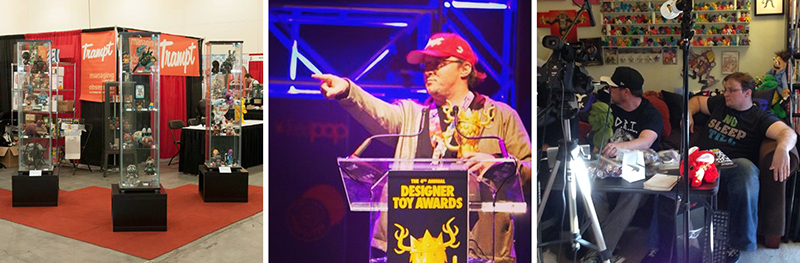
Trampt was co-founded in 2010 by Keegan & Blake, and in 2018 we added the sweet technical skills of Gwizdala to help us relaunch the entire platform. That's it, just three ridiculously charming and fun-loving fellahs who are working on this entire platform. So bare with us as we fix problems, answer questions, develop new features, and attempt to build more engaging platform.
1. What can I add to the library?
What we'd like to have
Trampt is a niche collector community for Art Toys, low-brow art, street culture, and festivals around the world. We'd love to curate any and all work that falls into these loose categories.
Please DO NOT add
Items in the library should have been available for sale directly, lottery, commission, etc. So no sketches, work-in-progress, doodles, etc. We're also trying to keep the site focused on our four main categories which means no Actions figures, Legos, Apparel (hats, shirts, shoes), etc. Worse case if you add stuff we don't like, then a moderator will remove it and message you. If you ignore this then we'll ban you from using the site, and probably perform a light hexing.
Using the new Item tags
Tags are a way for members to group items without creating new profiles. Tags can be used to group items in a variety of ways:
- Sizes: #bearbrick1000%, #dunny20inch
- Types: #diy, #sofubi
- Exclusivity: #chase, #caseexclusive
- Themes: #rickandmorty, #videogames
- Designer Toy Awards: #dta-bestseries, #dta2020winner
This is a new feature and I'm sure new methods as well as new rules will surface as it's used.
Why can't I upload a photo?
The image upload is disabled until certain inputs are completed (generally Artist, Platform/Medium, Manufacturer). Also be sure you're files aren't too large, we cap uploads at 1MB per image, so we don't pay for tons of wasted bandwidth & storage space.
2. How do profiles work?
Profiles
When a member adds an item to the library it creates or adds to an existing profile; which could include an Artist, Manufacturer, Platform, Series, etc. This is how we group like items together for members to find, collect, and shop. You can follow different profiles so updates show up in your feed.

Member profiles
When someone joins Trampt, they are given a member profile. Others can follow, view their activity, collection, and items they are selling. All functionality on Trampt is free; however, we provide extra features to those who become Royale Members which helps support our ad-free site.

What is a verified profile?
Like we said above, profiles are created when items are added to the library. If an Artist, Manufacturer, or Venue (shop, gallery, media site) want to take ownership of it then they can become verified. More details on how to get verified and functionality that is unlocked.

Why can't I edit a profile?
When you add or edit an item, you may be creating a new artist, manufacturer, platform, etc profile. If this happens, it will need to be approved by a moderator before it is editable. Also, if a profile is verified then it can only be edited by it's owner. Any issues with a profile, please Report it from the action menu.
3. How can I sell my item in the Shop?
Any member can post links to websites where items can be bought. Due to our insane spamming problem over the years, we will only allow links to websites we have whitelisted. If you paste a link and get a whitelist error, a moderator will automatically get a notification and decided if it should be approved or denied.
How I do I sell directly?
We have built our transaction system with the Paypal Commerce Platform. In order to sell, member will have to link their Paypal account to their Trampt account. This will help use reduce fraud, secure payments, handle disputes, and move money through a system users are comfortable with. All transactions require a Trampt account, but users can purchase directly with a credit card and not using a Paypal account.
4. What are you tracking / sharing about me?
You can view our privacy policy to get the full details, but we don't use advertising on the site and we don't ever share your personal information with third-parties.
5. How do I delete my account?
If you are signed in, click on the icon in the navigation, and go to Settings. At the bottom of the 'account & privacy' page is an option to delete your account. It will remove all your looking & selling listings, collection data, wipe your username. This action CAN NOT be undone.